ccexp
Interactive CLI for Claude Code — discovers, previews, and manages config files and slash commands
ccexp is an interactive CLI tool for developers to discover, preview, and manage their Claude Code configuration files and slash commands. It provides a React Ink-based terminal UI to navigate CLAUDE.md, .claude/commands, and other Claude-related settings. Users can quickly find, inspect, and perform actions on their Claude Code assets directly from the terminal.
- Automatically finds Claude Code configuration files
- Split-pane terminal UI for file list and preview
- Filters files in real-time as you type
- Copy content, paths, or open files in editor
- Renders CLAUDE.md with syntax highlighting


README
View on GitHub ↗ccexp (claude-code-explorer)

Interactive CLI tool for exploring and managing Claude Code settings and slash commands





Overview
[!IMPORTANT] ccexp is the shortened name for claude-code-explorer. The npm package claude-code-explorer is the previous version of this tool. The name was shortened to ccexp for brevity and easier command-line usage.
ccexp (short for claude-code-explorer) is a React Ink-based CLI tool that provides an interactive terminal interface for discovering, previewing, and managing Claude Code configuration files and slash commands. Navigate through your codebase to find CLAUDE.md files, slash command definitions, and other Claude-related configurations with a beautiful terminal UI.
Features
- 🔍 Interactive File Discovery - Automatically finds Claude Code configuration files
- 📁 Split-pane Interface - File list on the left, preview on the right
- ⌨️ Keyboard Navigation - Arrow keys, Enter, ESC for smooth navigation
- 🔎 Live Search - Filter files as you type
- 📋 File Actions - Copy content, copy paths, open files in default applications
- 🎨 Terminal UI - Beautiful React Ink interface with proper focus management
- 📝 Markdown Preview - Renders CLAUDE.md files with syntax highlighting
Screenshots
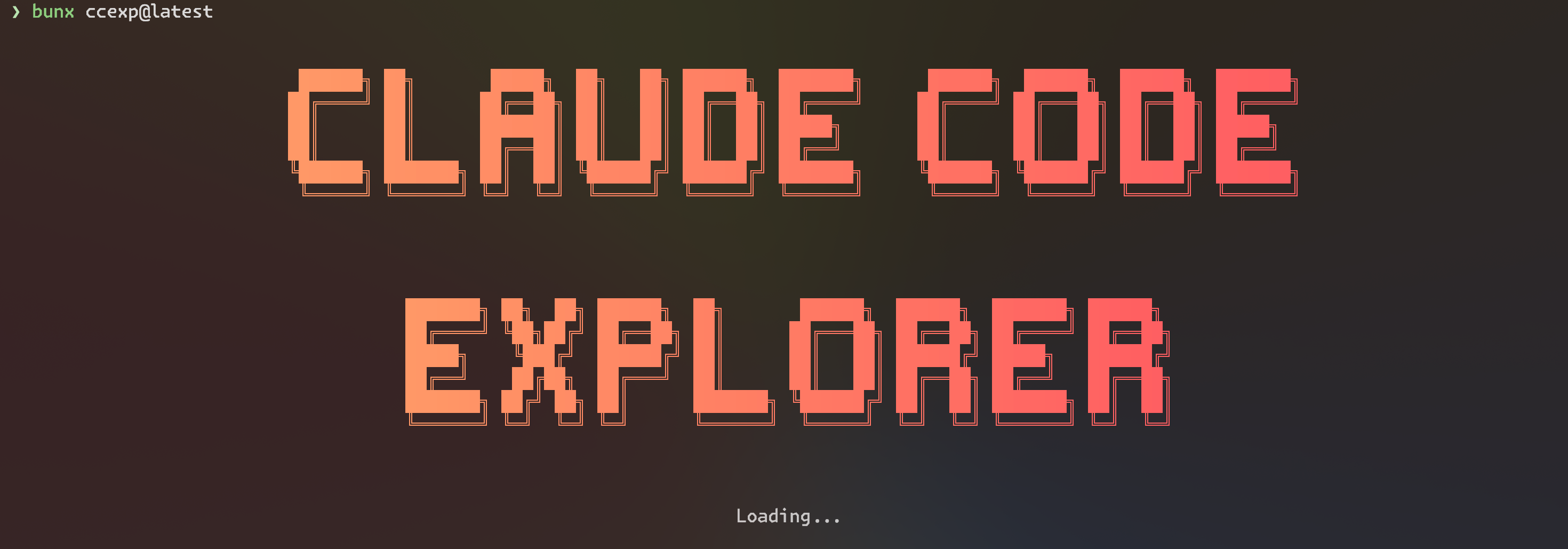
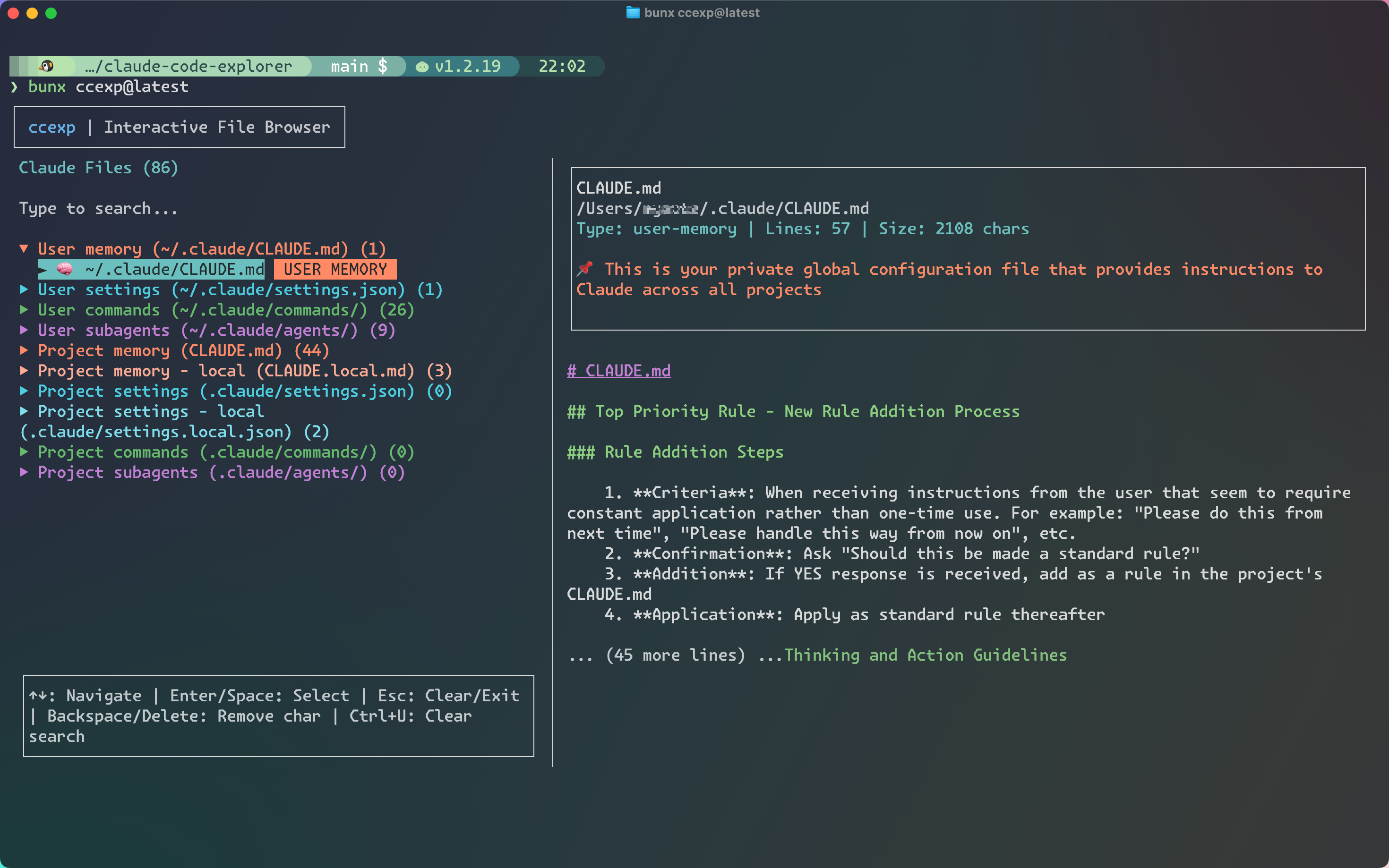
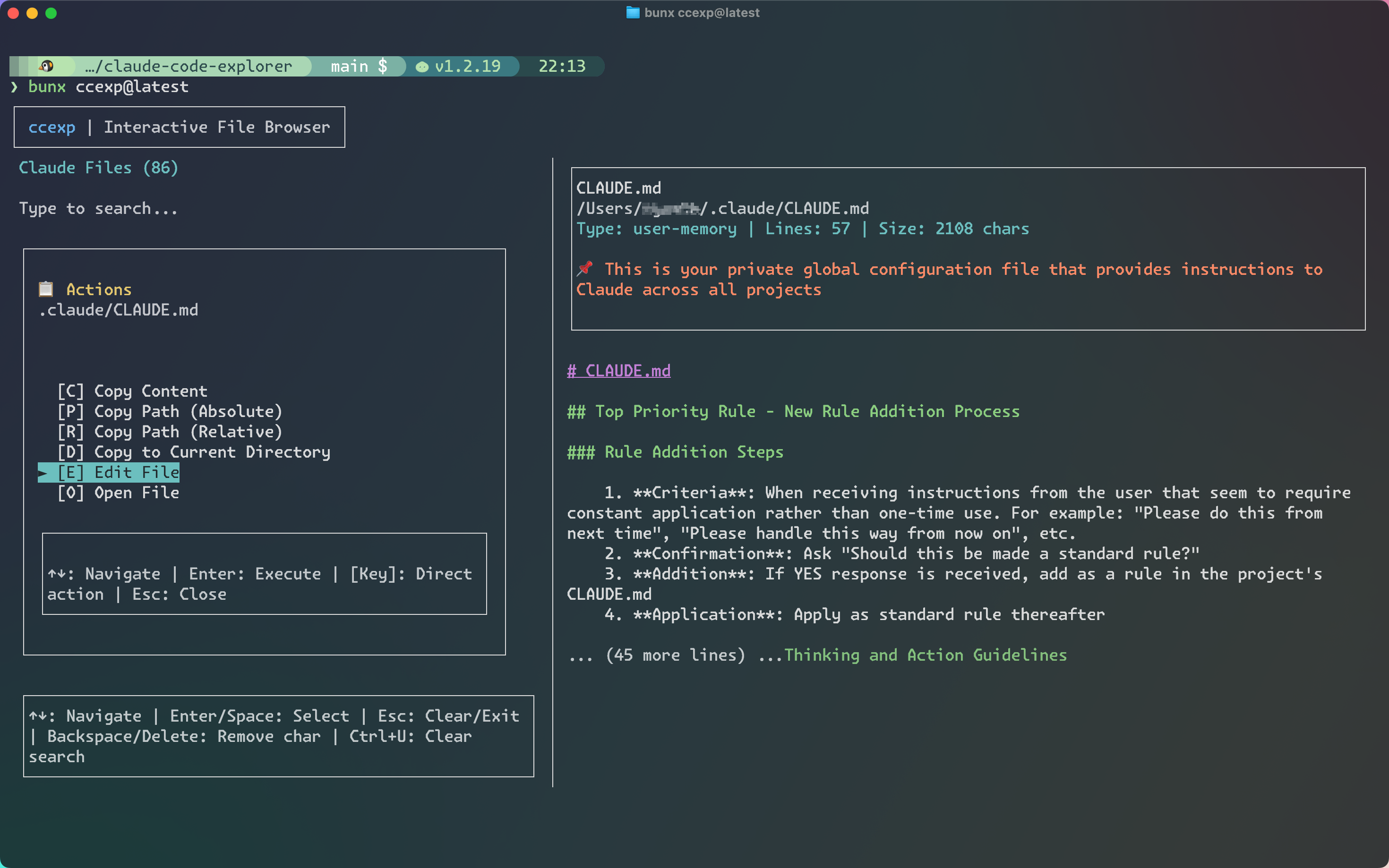
Target Files
ccexp (claude-code-explorer) automatically discovers these configuration files:
Memory Files
- CLAUDE.md → Project memory (project configuration)
- CLAUDE.local.md → Project memory local (local overrides, gitignored) (deprecated: https://docs.anthropic.com/en/docs/claude-code/memory#determine-memory-type)
- ~/.claude/CLAUDE.md → User memory (global configuration)
Command Files
- .claude/commands//.md* → Project commands (project-specific slash commands)
- ~/.claude/commands//.md* → User commands (personal slash commands)
Subagent Files
- .claude/agents//.md* → Project subagents (project-specific agents)
- ~/.claude/agents//.md* → User subagents (personal agents)
Settings Files
- .claude/settings.json → Project settings (shared configuration)
- .claude/settings.local.json → Project settings local (local overrides, gitignored)
- ~/.claude/settings.json → User settings (global configuration)
Installation
Quick Start (Recommended)
No installation required! Run directly with:
# Using Bun (fastest)
bunx ccexp@latest

# Using npm
npx ccexp@latest

# Using pnpm
pnpm dlx ccexp@latest
Global Installation
For frequent use, install globally:
# npm
npm install -g ccexp

# Bun
bun install -g ccexp

# pnpm
pnpm add -g ccexp
Then run from anywhere:
ccexp
Usage
Interactive Mode (Default)
ccexp                    # Launch interactive TUI
ccexp --path ~/projects # Scan specific directory
Command Line Options
ccexp --help             # Show help information
ccexp --version          # Show version number
ccexp --path <path>      # Specify directory to scan
Examples
# Launch in current directory
bunx ccexp@latest

# Scan specific project
bunx ccexp@latest --path ~/my-project

# Quick exploration without installation
npx ccexp@latest

# Show help
bunx ccexp@latest --help

# Show version
bunx ccexp@latest --version
Common Use Cases
# Find all Claude configuration in your workspace
cd ~/workspace
bunx ccexp@latest

# Check Claude settings in a specific project
bunx ccexp@latest --path ./my-project

# Explore global Claude configuration
bunx ccexp@latest --path ~/.claude

# Using alias (after setup)
ccexp                      # Current directory
ccexp --path ~/workspace   # Specific directory
Keyboard Shortcuts
- ↑/↓ - Navigate file list
- Enter - Open file actions menu
- ESC - Close menu / Exit
- Tab - Switch between panes
- / - Focus search input
- c - Copy file content (in menu)
- p - Copy absolute path (in menu)
- r - Copy relative path (in menu)
- d - Copy file to current directory (in menu)
- e - Edit file with $EDITOR (in menu)
- o - Open file in default application (in menu)
Development
For development setup, commands, and contribution guidelines, see DEVELOPMENT.md.
Contributing
Contributions are welcome! Please see DEVELOPMENT.md for detailed contribution guidelines.
License
MIT License - see LICENSE file for details
Similar ide integrations
cline
Claude agent for VS Code — automates coding, debugging, and deployment, builds custom MCP tools


happy
Mobile client for Claude Code — remotely control and monitor your AI coding agent sessions



clawd-on-desk
Desktop pet utility for AI coding agents — visualizes Claude Code activity, subagent juggling, and permission requests


claude-devtools
DevTools for Claude Code — visually inspect session logs, tool calls, token usage, and subagent activity


